Cut, Clip, Create: The Best Video Editing Apps for Every Creator in 2025
Video creation is now penetrating all professions, bringing in content creators, marketers, and filmmakers to realise their imaginations. From building TikTok shorts, YouTube videos, to even putting together documentary films, a well-suited video editing app can make all the difference in your video journey. This overview will tell you everything about the 10 best video editing apps for creators working at any skill level or on any budget.
1. CapCut – All-Around Creative Tool
With a free, powerful video editing app on mobile, desktop, and web platforms, CapCut changed the way video editing was done. The app suits social media creators perfectly because of its easy interface, AI features, and transition effects. Delivering professional results sans the costs with 8K export up to 60fps and auto-generate subtitles.
2. Adobe Premiere Pro – The Benchmark Among Professionals
The thousands of features Adobe Premiere Pro offers to its users are the major reasons behind its ordinal placement in the professional world of filmmaking and content teams. These features are all about colour correction, multi-camera editing, and integration with the entire Adobe ecosystem of creative tools. Indeed, the app is worthy of mention when it comes to complex productions. Subscription-based, it definitely pays back for serious creators handling complex workflows.
3. DaVinci Resolve – Merging Power with Affordability
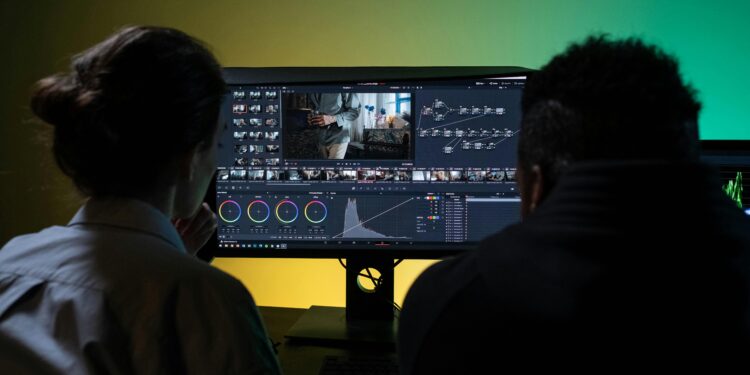
DaVinci Resolve is the most robust free video editor there is today. Once primarily a colour grading application, it now has full-featured editing, effects, and VFX tools. The free version is a serious competition to many paid ones; the paid version is really for collaborative work, along with colour grading for larger teams.
4. Final Cut Pro – A Mac Creator’s Dream
Apple’s flagship editing software optimizes performance for macOS users thanks to native acceleration and the remarkably compelling Magnetic Timeline feature. Particularly favoured for documentary filmmaking, corporate video, and studio production, it supports up to 8K footage with very impressive colour correction tools.
5. Canva – Easy Does It Stunning Templates
Canva is a drag-and-drop video editor with professionally designed templates that provides a simple interface for the utter novice. It may not have any advanced layering options, but it excels in fast edits that look good for social media, and is therefore best suited for small businesses and novice creators.
6. CyberLink PowerDirector – An Abundance of Features for All Skill Sets
In terms of feature-rich software balanced for accessibility and professional attainment, PowerDirector would fit best for intermediate creators. The suite features AI applications for speech enhancement and object detection, along with trending effects such as anime filters. It possesses capabilities for multi-source editing and is consistent across Windows and Mac operating systems.
7. Clipchamp – Simple Editing in a Browser
Editing on Clipchamp means there are no downloads and no installation issues. This is a web-based editor with simple AI auto-editors and a template library to make your life easier. It supports both vertical format and square formats, making it a game-changer for TikTok, Instagram Reels, and YouTube Shorts.
8. A Professional Editor on Mobile
LumaFusion is a professional video editing mobile application for iOS. This video editing app provides for multitrack editing, colour correction, chroma-keying, and keyframing. Editing in this manner can rival desktop applications, whilst offering the convenience of mobility.
9. Descript – The Text-Based Video Revolution
Descript has set out to completely revolutionise video editing through text-based workflows that allow creators to edit videos like documents. Tumultuous AI features such as voice overdubbing and auto-transcription make it a must-have video editing app for podcasts, educational content, and talking-head videos.
10. Kdenlive – A Knockout Open Source
If you want complete freedom and nothing to pay, Kdenlive is an open-source, cross-platform video editing app. This robust application is filled with features comparable to premium software, great for Windows and Linux users who need professional results while avoiding subscription payments.
Picking Your Perfect Video Editor
The best video editing app would depend on your particular context. For newbies, either CapCut or Canva would be an ideal choice owing to their ease of use; however, the free version of DaVinci Resolve may be recommended for people intending to work professionally. The industry movers and shakers are favouring Adobe Premiere Pro or Final Cut Pro simply in terms of strength.
Do consider factors such as budget, platform preference, and the goals of creativity. Whatever path you choose, current video editing applications are great tools in the hands of independent creators to breathe out professional-standard content for a worldwide audience.